Steki case study

Keep every order moving—in the language each team member understands.

Steki is a restaurant ordering and operations platform connecting customer QR orders, waiter entry, kitchen preparation, cashier handover and shop administration in one live workflow.
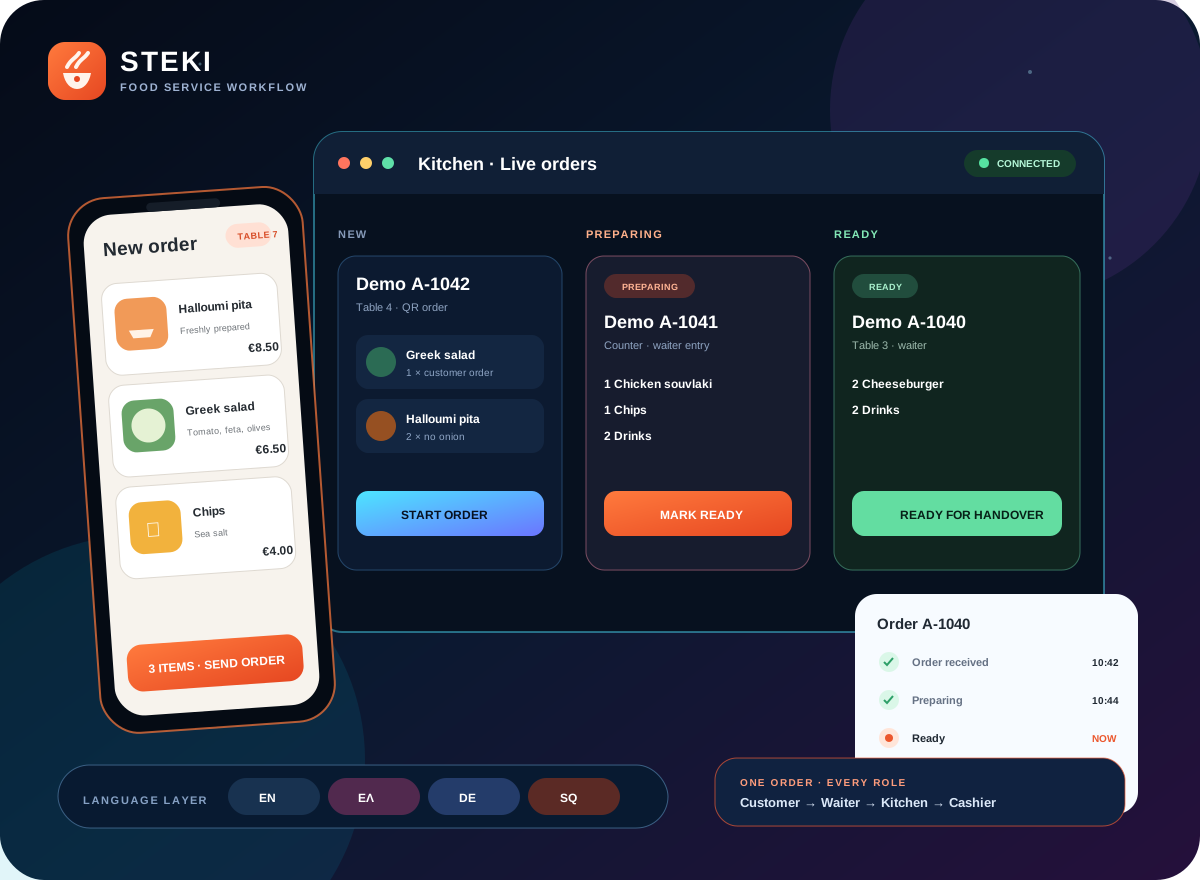
  • Customer · Waiter · Kitchen · Cashier
  • English · Greek · German · Albanian
  • Multi-shop and role based
Steki waiter, kitchen, cashier, customer and multilingual workflow

The challenge

One order passes through many hands.

Restaurant service is not one screen. Customers, waiters, kitchen staff, cashiers and administrators each need a different view of the same order, often on different devices and sometimes in different languages.

  • Clear role handovers from entry to collection
  • Different interfaces for different devices and tasks
  • Shop-specific identity and operating options
  • Shop defaults with individual staff language preferences
  • Controlled growth for newer capabilities
01 · Live workflow

One shared order journey, adapted to every role.

An order can begin through customer QR ordering or waiter entry, move to the kitchen for preparation, progress to ready status and continue to cashier handover or collection.
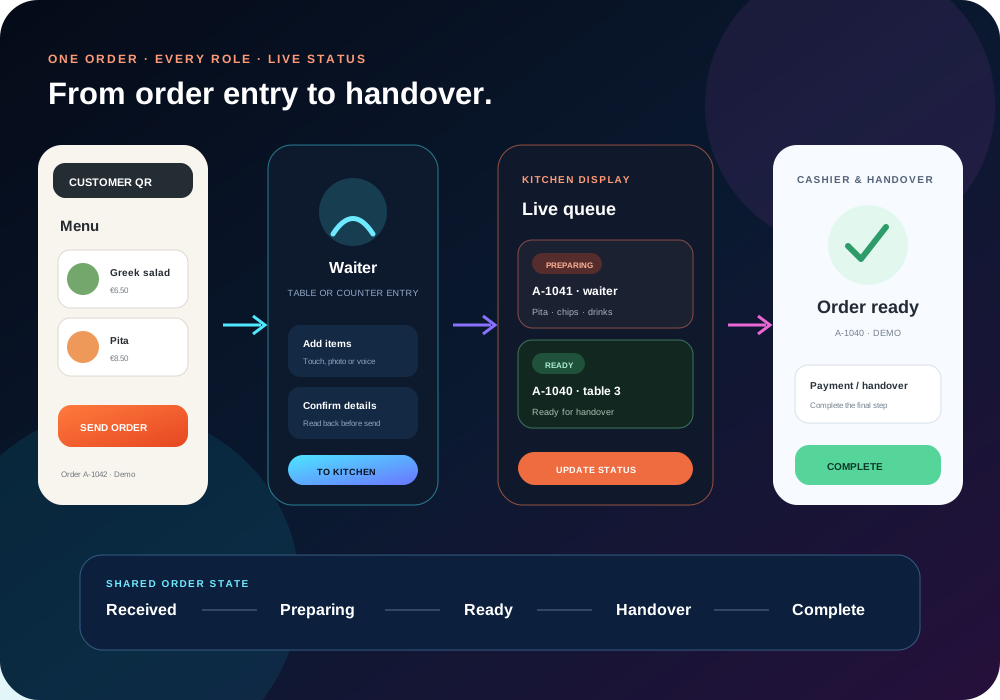
  • Customer QR ordering
  • Waiter ordering on phone or shared device
  • Kitchen display for live preparation
  • Cashier handover after ready status
  • Clear progress without duplicate re-entry
Steki workflow from customer and waiter entry through kitchen and handover
02 · Language capabilities

A shared workflow that does not force every person into one language.

The public introduction is available in English, Greek and German. Operational and customer resources extend to English, Greek, German and Albanian.

  • Central approval of languages for each shop
  • Shop default interface language
  • Individual signed-in staff preference
  • Translation and quality review for new requests
  • Separate configuration for voice recognition

Written language availability does not automatically activate voice-assisted features; voice accuracy is tested separately.
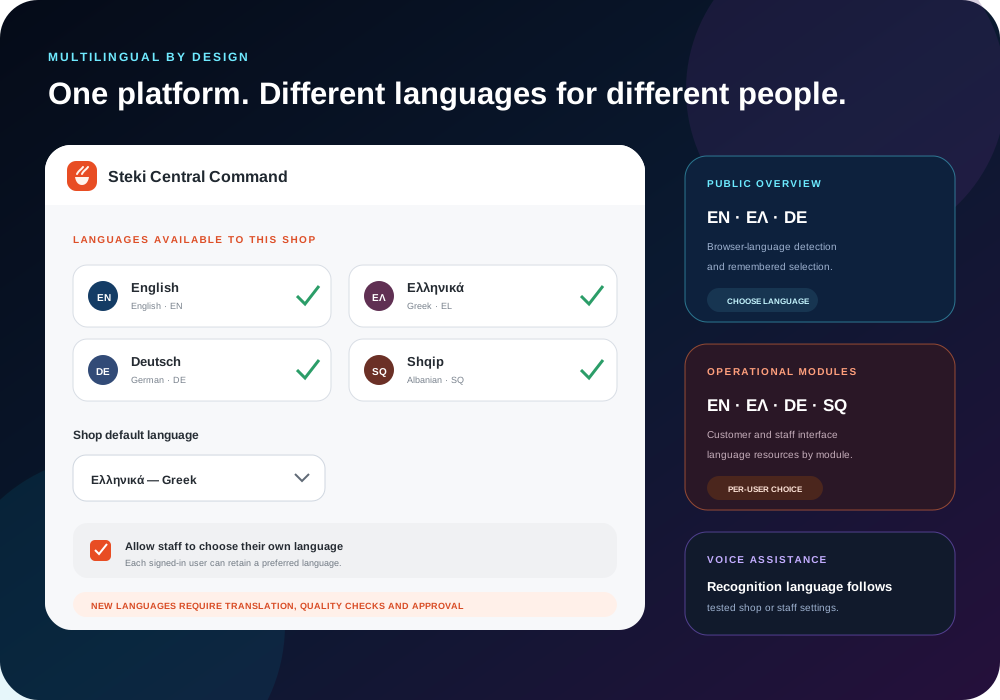
Steki language allocation, shop default and staff preference controls
03 · Per-shop configuration

One platform, shaped to each restaurant.

A white-label configuration layer lets each shop present its own identity and choose operating options without changing the shared platform.
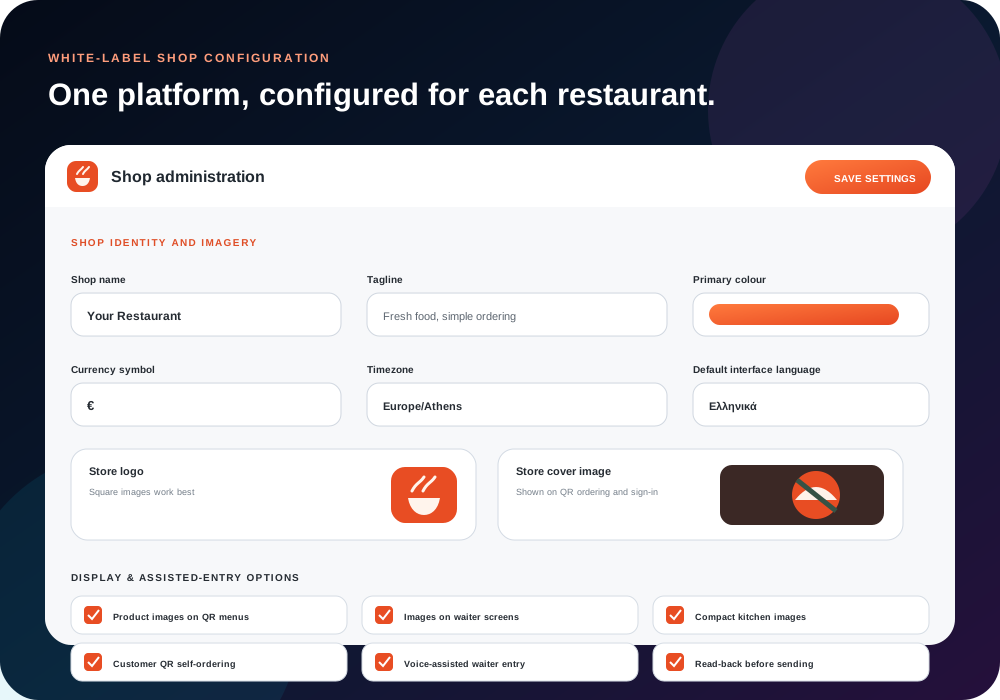
  • Shop name, tagline, logo and cover image
  • Primary colour and product-image settings
  • Currency symbol and timezone
  • Default interface and voice language
  • Customer QR and waiter-assistance controls
Steki white-label shop configuration
04 · Customer & assisted ordering

More than one way to place and follow an order.

The platform supports visual customer menus and role-specific ordering tools, including QR access, product imagery, order progress and waiter assistance.

  • Customer QR menus with product images
  • Customer order status and collection progress
  • Waiter voice-assisted order entry
  • Photo-and-voice waiter mode
  • Read-back before an interpreted order is sent

Newer customer-account, QR-registration, PIN-access and pickup foundations remain staged behind controlled enablement.
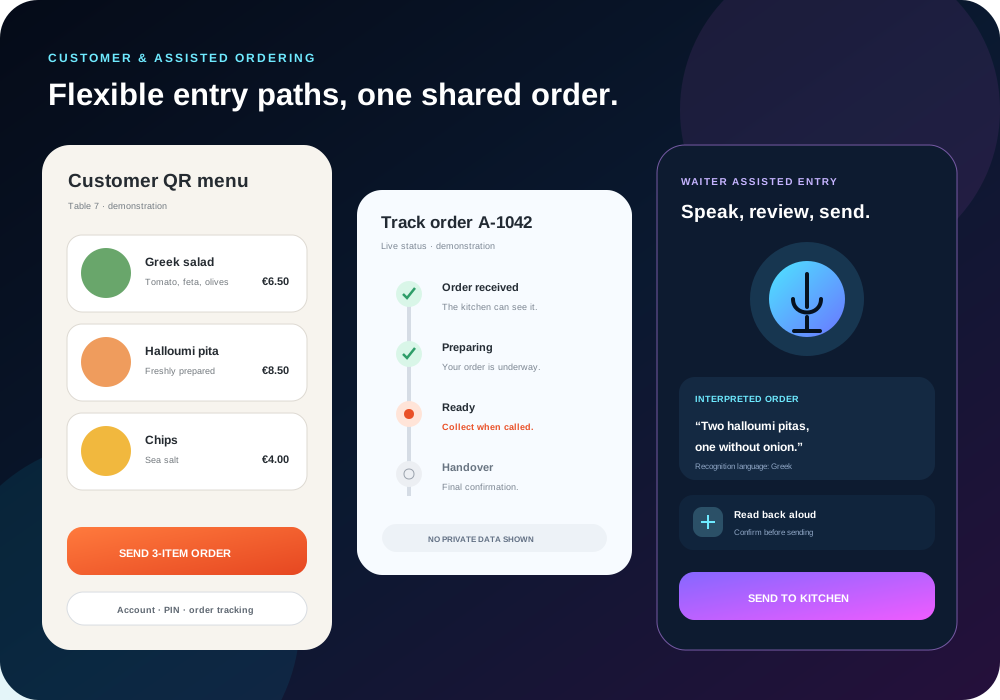
Steki customer QR menu and waiter-assisted ordering
05 · Central Command

Shop flexibility with central control of shared rules.

Central Command provides the platform layer for shop access, role boundaries, approved languages and protected configuration across more than one restaurant.

  • Multi-shop administration
  • Role-based access for service teams
  • Language allocation and shop defaults
  • Controlled shop activation and configuration
  • Audit and deployment boundaries

The visual is a sanitised recreation with fictional shop and staff information.
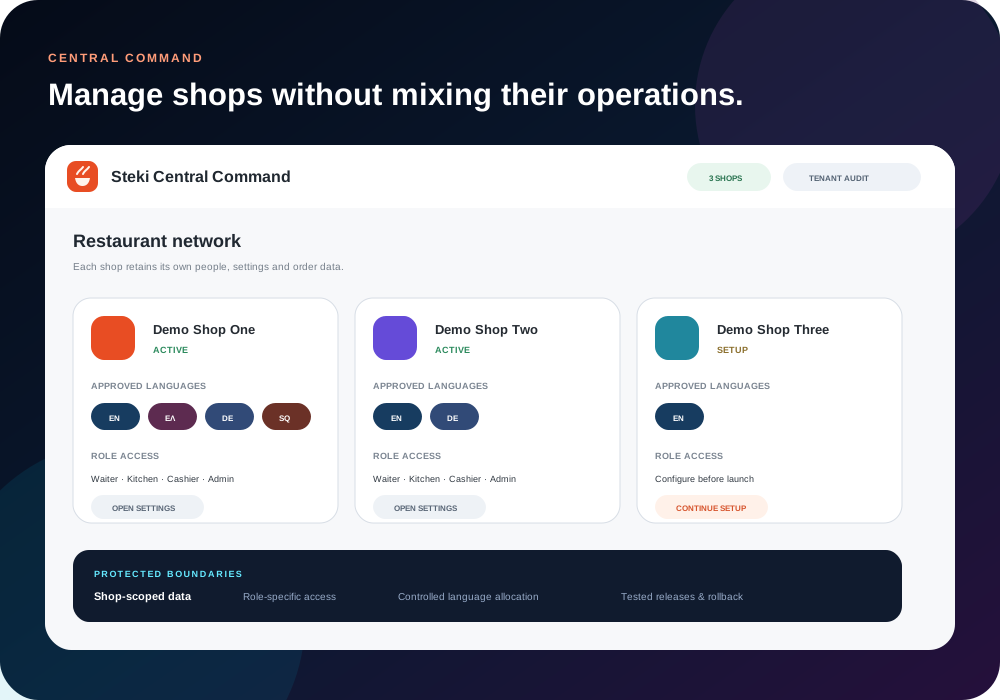
Sanitised Steki Central Command demonstration

What this project demonstrates

A multilingual product built around live service work.

Different, coordinated interfaces can remain connected to the same order underneath them.

Role-based UX

The right information for each task.

Customers, waiters, kitchens, cashiers and administrators see interfaces shaped around their responsibilities.

Live status

Every handover stays visible.

Received, preparing, ready and handover stages keep the journey understandable.

Multilingual design

Language at shop and staff level.

Approved languages, defaults and personal preferences support diverse teams.

White-label platform

Shared foundation, local identity.

Branding and operating settings let restaurants use the common platform without looking identical.

Progressive rollout

New capabilities can remain protected.

Features can be installed, tested and kept disabled until the business is ready.

Release engineering

Change with verification and recovery.

Manifest checks, atomic deployment, privacy tests and rollback planning support safer development.

Privacy and accuracy: every workflow, order, shop and administration image uses fictional demonstration information. No private restaurant URL, customer identity, staff account, live order, transaction or access credential is displayed.

Build around the people doing the work

Need one system for customers and several operating roles?

ezyNet can design the public experience, role-specific interfaces and controlled rollout as one connected project.

hello@ezynet.netDiscuss a ProjectAustralia based · Worldwide project delivery